Get Kikai

Know what you took. Know what’s coming.

Takings by day, week, month or year, by stylist and service, with no-shows counted separately.
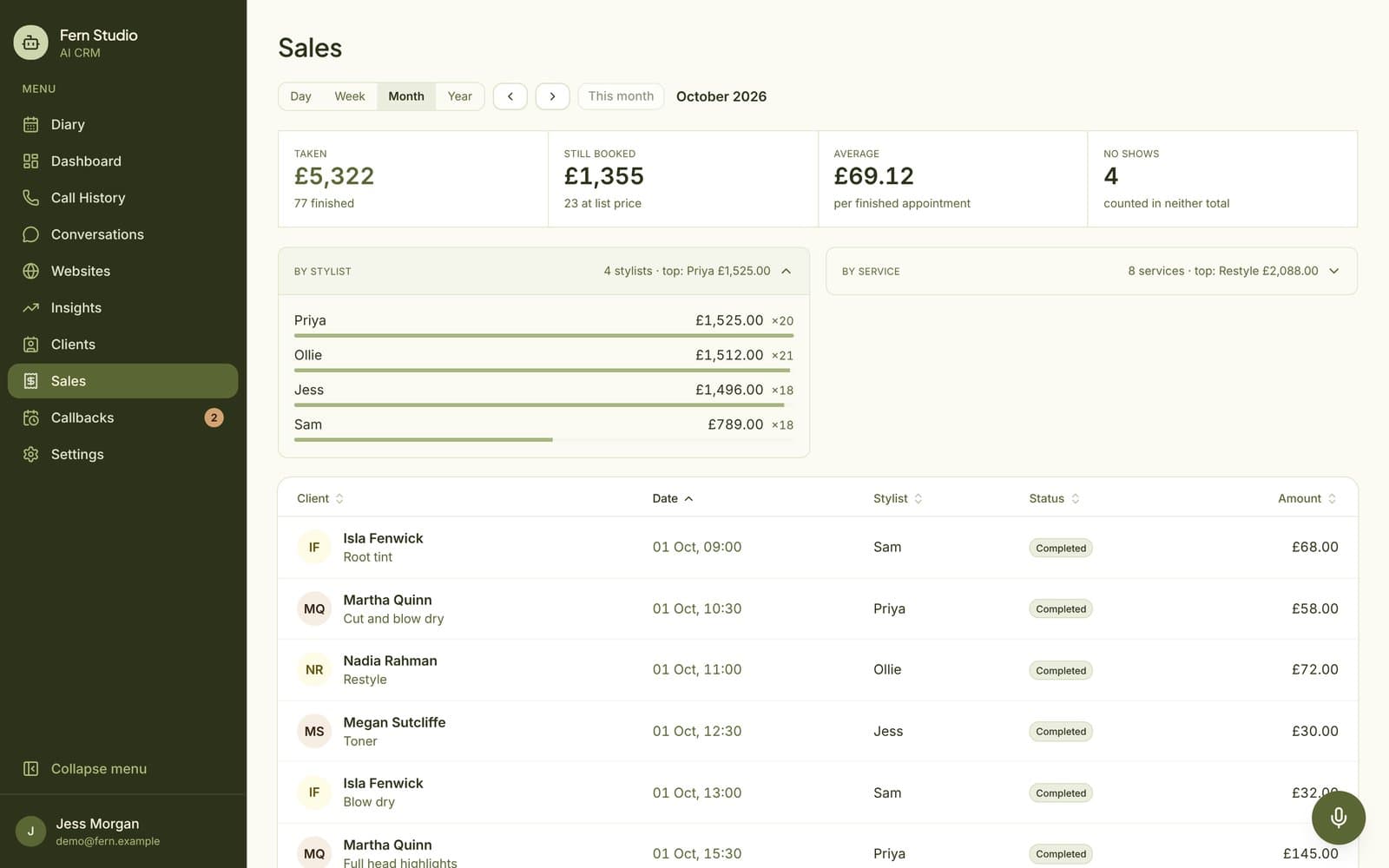
The Sales report: taken, still booked, average and no-shows

Numbers you can run a salon on

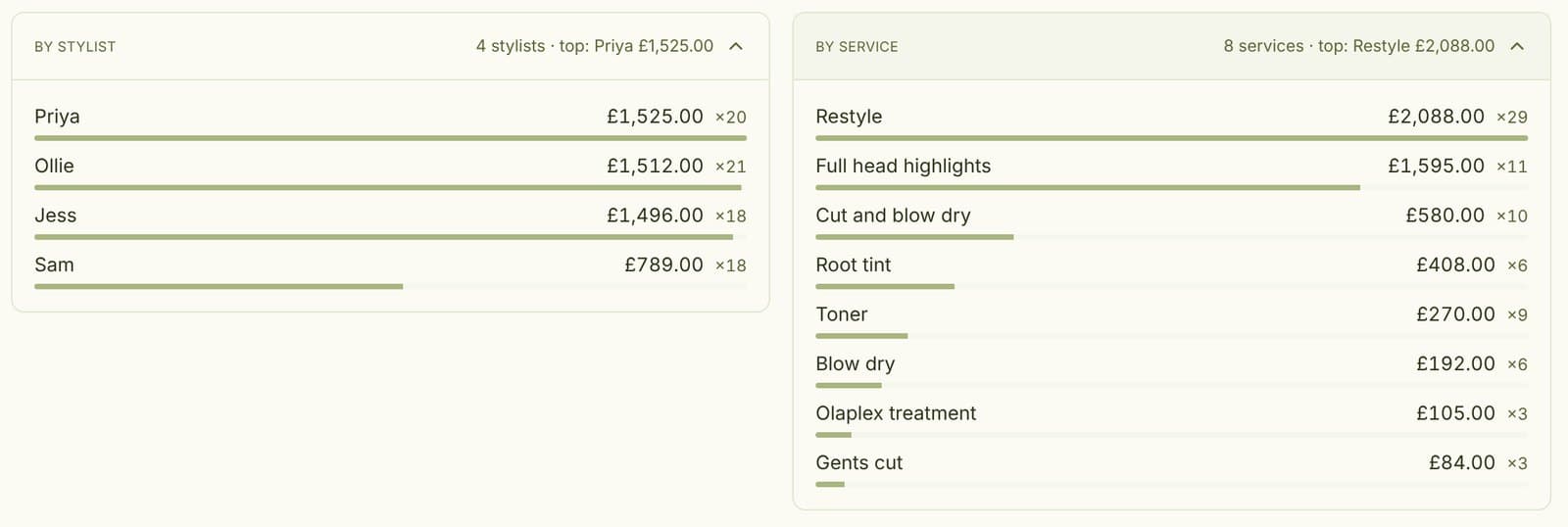
Takings by stylist and by service in the Sales report

Who’s busiest, at a glance

Takings by stylist and by service, side by side, for any day, week, month or year.

Taken and still booked, kept apart

Money that changed hands and what’s in the diary, never added together.

No-shows in plain sight

Listed every period, so you can see what they cost.
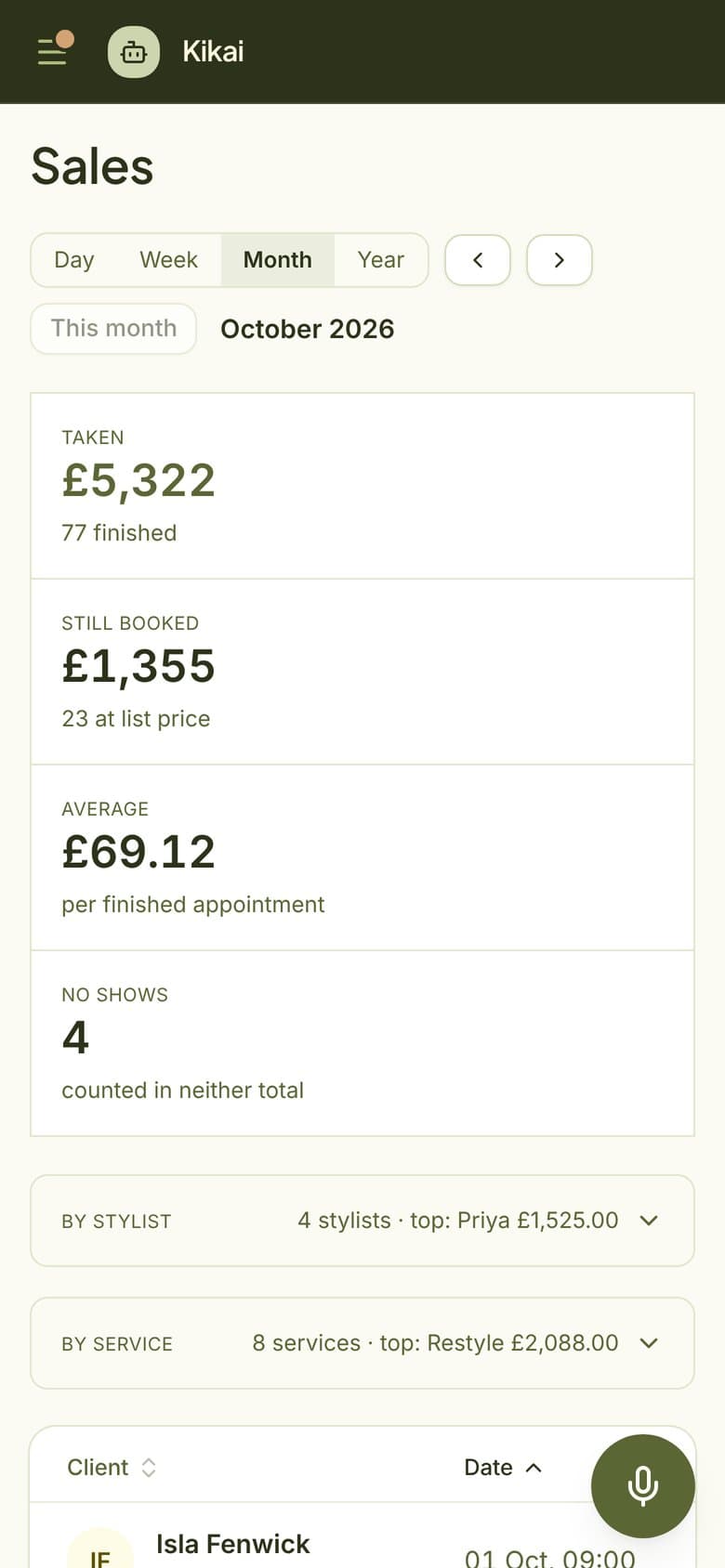
The Sales report on a phone

Every figure, one tap away

  • By stylist and service. See who’s busiest and which services earn most.
  • Day, week, month or year. Switch the period with a tap, and step back to compare.
  • Average per appointment. What a finished appointment is worth to you.
  • Every appointment listed. Sort by client, stylist or amount.
  • Just ask. “How much did we take last week?” The assistant reads out the same figures.

Questions

Where do the numbers come from?

From your diary. When an appointment is finished, the desk records what was paid, and the report does the rest.

Are no-shows in the totals?

No. They’re listed so you can see them, but they count towards neither total.

Can I see last year?

Yes. Switch to Year and step back one period at a time.

Never miss a booking again.

  • Keep your number
  • Live in a week
  • We set it all up